
🛡️Blacklist Navigation
🛡️ Blutext Dashboard Blacklist
The Blacklist is a key feature that enables users to manually manage their outbound communication preferences.
✍️ Unlike automated systems, it requires users to manually update the list, ensuring it accurately reflects contacts who wish to opt-out of text communications.
📋 The Blacklist helps users maintain a respectful communication strategy by allowing contacts to opt-out of receiving messages.
⚠️ It is crucial for users to actively manage this list to honor the preferences of their contacts.
⚠️ Importance of Keeping the Blacklist Updated
Maintaining an up-to-date Blacklist is not only a best practice but also a legal requirement in many jurisdictions.
🚫 Failure to comply with contact requests can lead to:
💸 Potential penalties
🏢 Damage to your organization’s reputation
✍️ How to Update the Internal Blacklist
This is a manual process that users must upkeep to maintain accurate communication preferences with their contacts.
⚠️ Note: Blutext is not responsible for maintaining the user Internal Blacklist.
Step 1
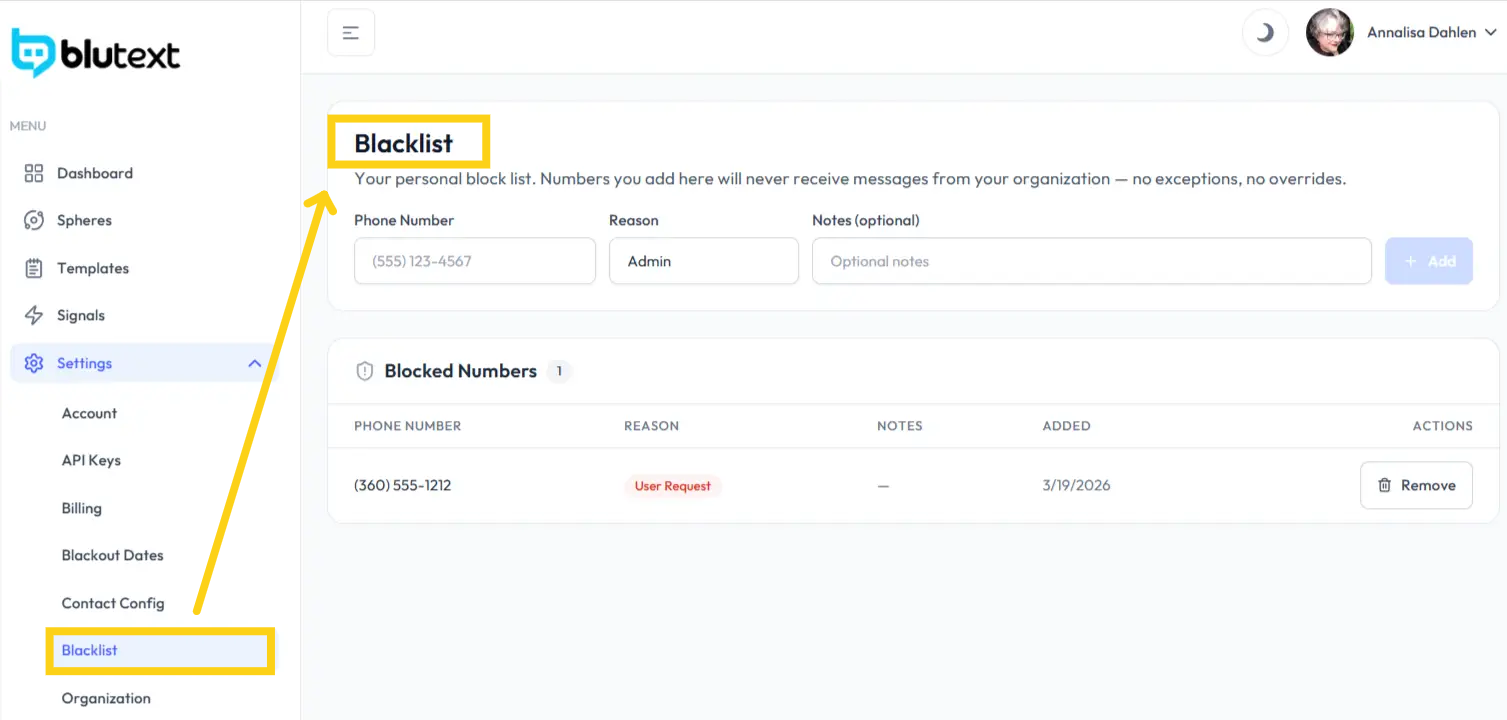
⚙️ Click "Blacklist" within Settings on the system’s left-hand side to open the page.
Step 2
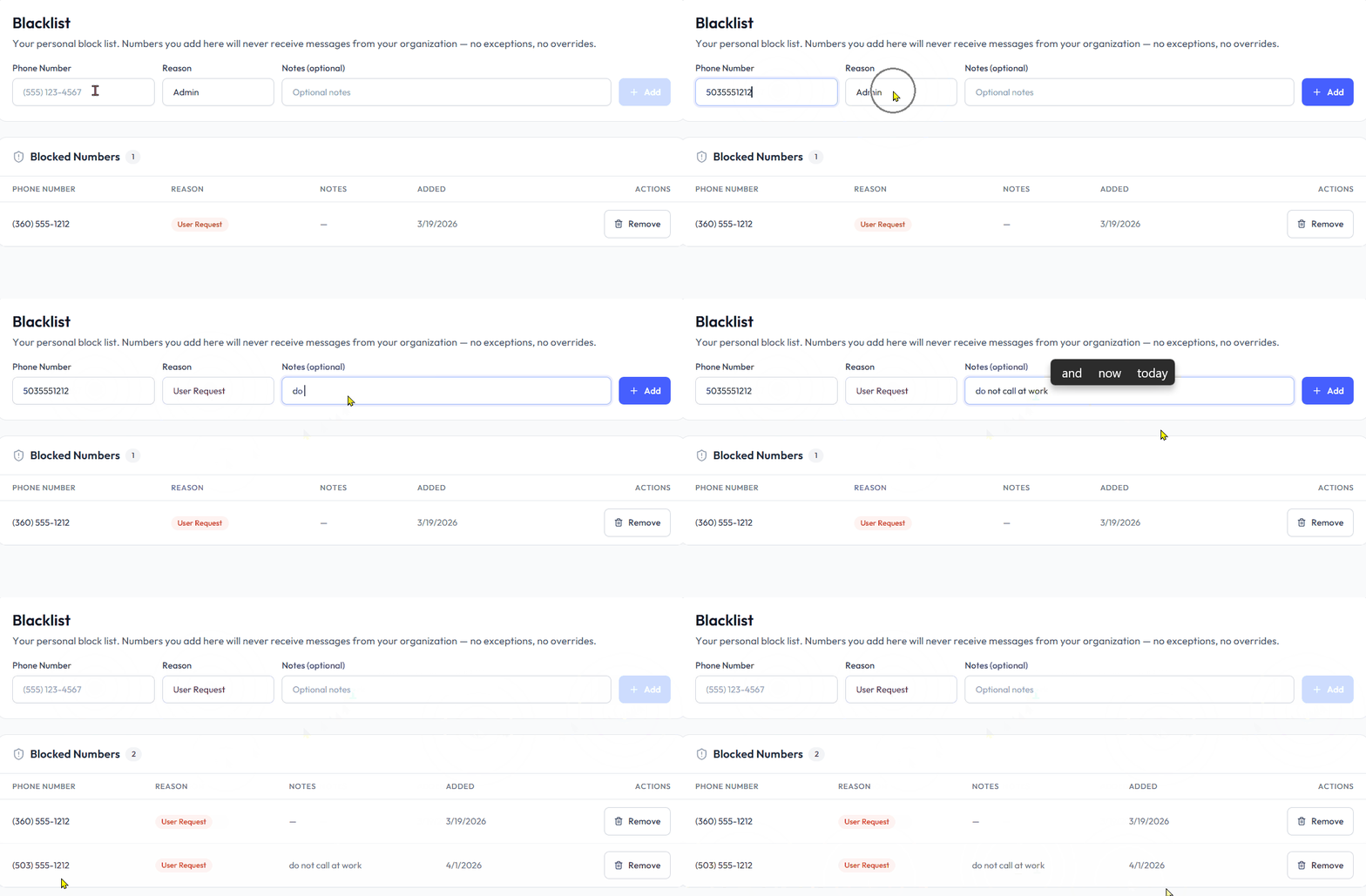
📞 Enter the phone number to be added to the Internal Blacklist in the Phone Number Field.
⬇️ Select a reason from the dropdown:
👤 Admin
🙋 User Request
⚖️ Compliance
❌ Bounce
✉️ Opt Out
📝 Add any notes to help you remember why you added that number.
🔵 Click the "+Add" button to save it.
👀 Review the information you just added to the Blocked Numbers list.
🗑️ How to Delete a Blocked Number
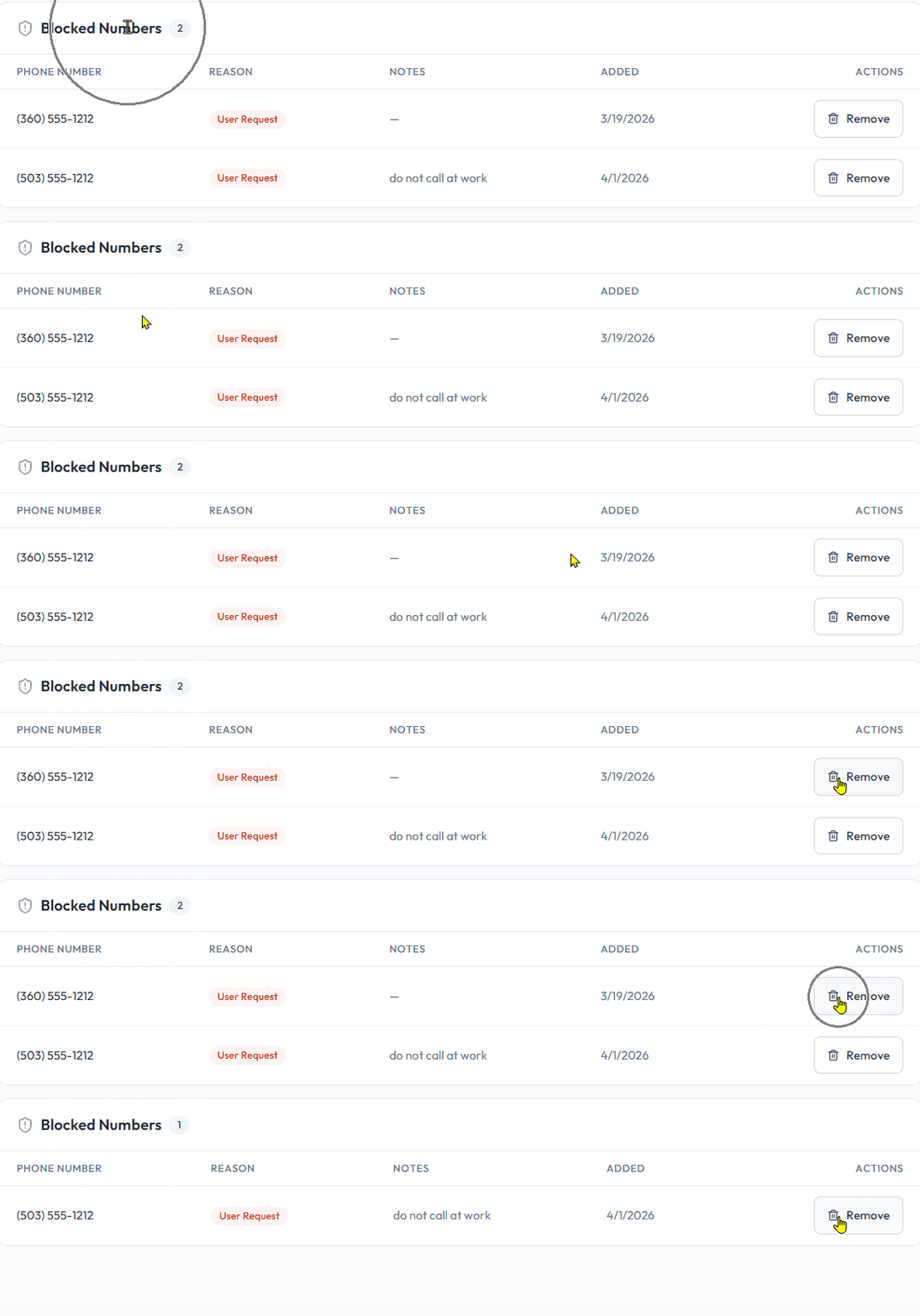
Click the "Remove" button with the trashcan icon 🗑️ on the far right of the Blocked Number row.
⚠️ Note: Removing a Blocked Number is immediate, and Support cannot recover it. You must manually re-add it to the Internal Blacklist.
Need help? Contact us at support@blutext.com or chat with us at the bottom right of our blutext.com website or knowledge base.