
📅 Blackout Date Navigation
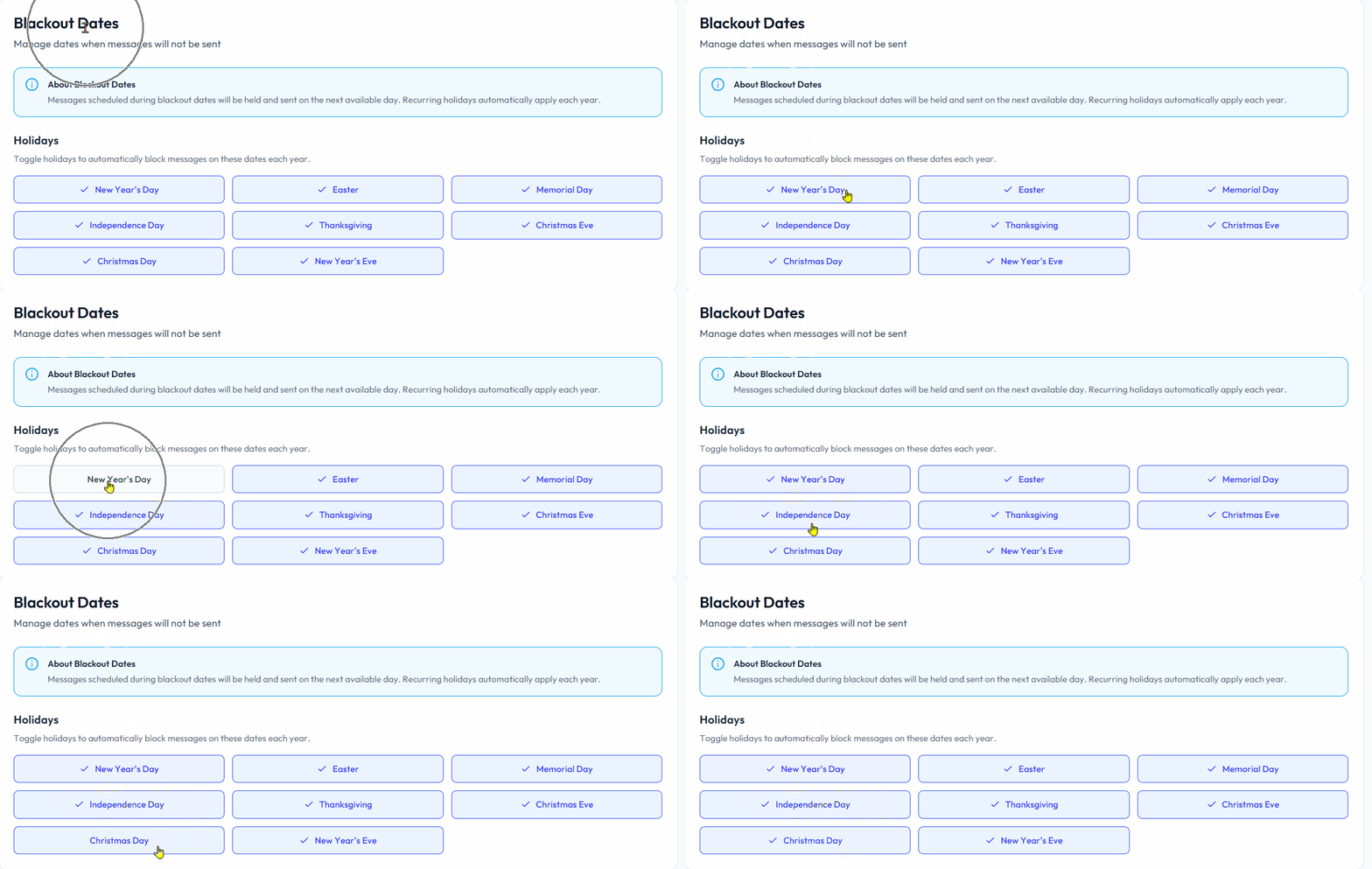
Blackout Dates indicate calendar days where Blutext texts will not send. By default, Blackout Holidays are active for:
🎉 New Year’s Day
✝️ Easter
🪖 Memorial Day
🇺🇸 Independence Day
🦃 Thanksgiving
🎄 Christmas Eve & Christmas Day
🥂 New Year’s Eve
⚠️ Note: Messages scheduled during blackout dates will be held and sent on the next available day. Recurring holidays automatically apply each year.
Holidays
✅ By default, all listed holidays are checked to prevent texts from being sent.
👆 Click a holiday to uncheck it and allow texts to be sent on that day.
🔁 Click again to recheck and stop texts from being sent.
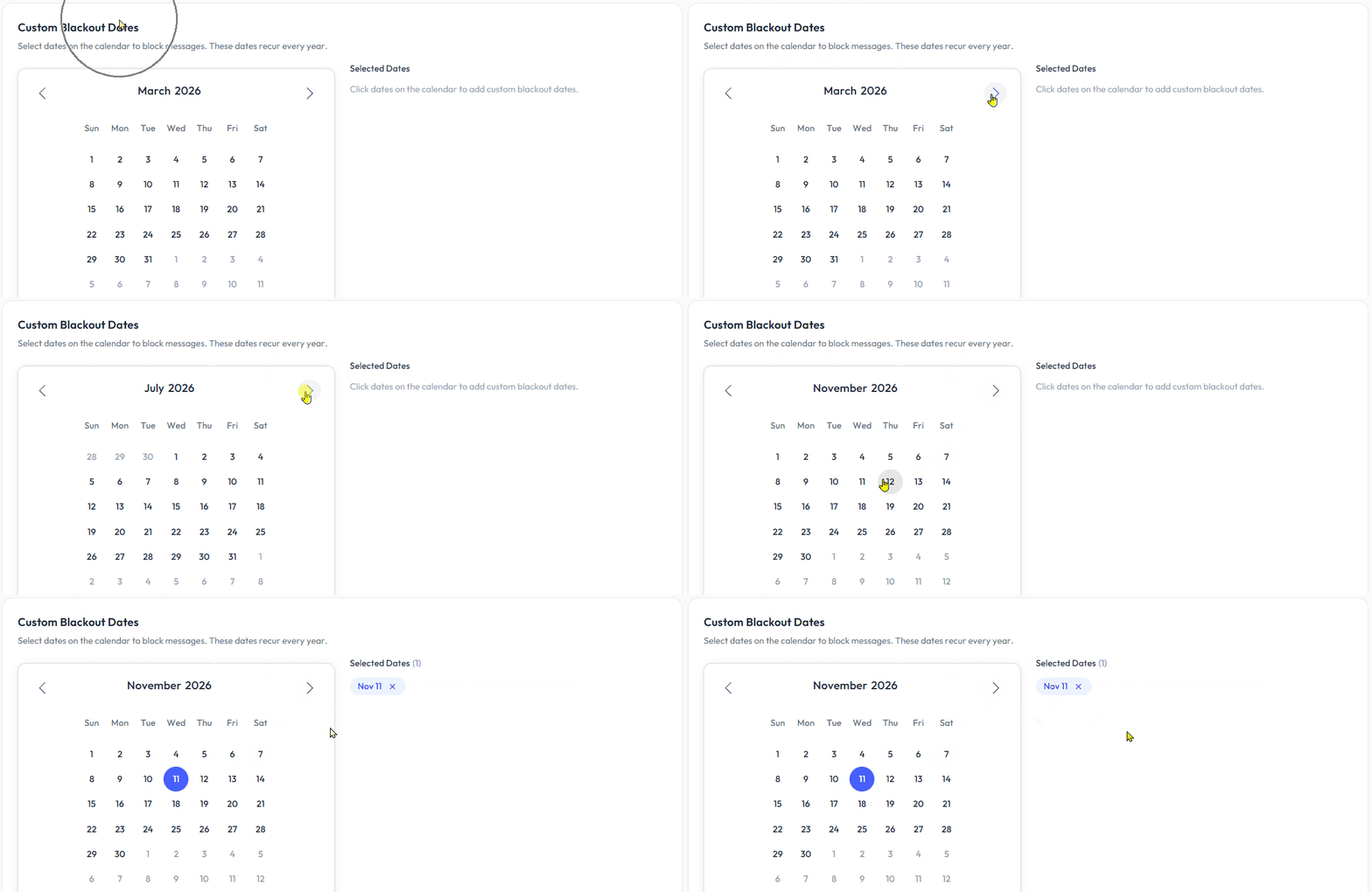
🆕 Custom Blackout Dates
Users can create their own Custom Blackout Dates that will occur annually.
⬅️➡️ Click the left or right arrows at the top of the calendar to select the month.
📅 Click the date to select the custom blackout date.
*Note: The year setting does not configure into the Custom Blackout Date.
Need help? Contact us at support@blutext.com or chat with us at the bottom right of our blutext.com website or knowledge base.