
🔑 API Key Navigation
The API Keys section allows you to create Blutext APIs for integration with systems like Zapier, Follow Up Boss, and other CRMs.
How to Create an API Key
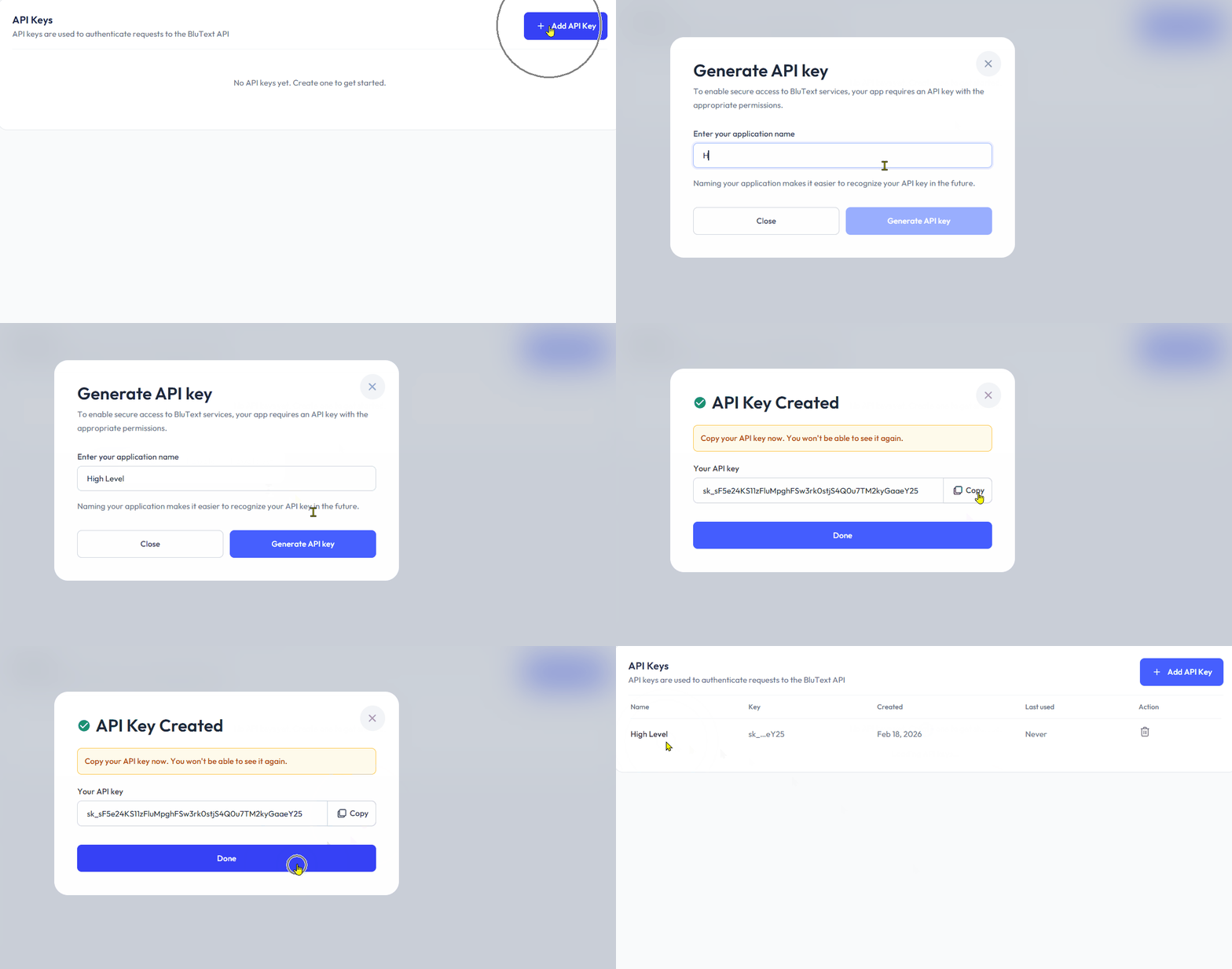
🔵 Click the "+API Key" button at the top right.
📝 Enter the application name (e.g., CRMs such as Follow Up Boss, High Level, Zapier).
🔵 Click the "Generate API Key" button to create your key.
*Note: Be sure to copy the API key created and save it somewhere safe. You will not be shown the created API key again.
How to Delete an API Key
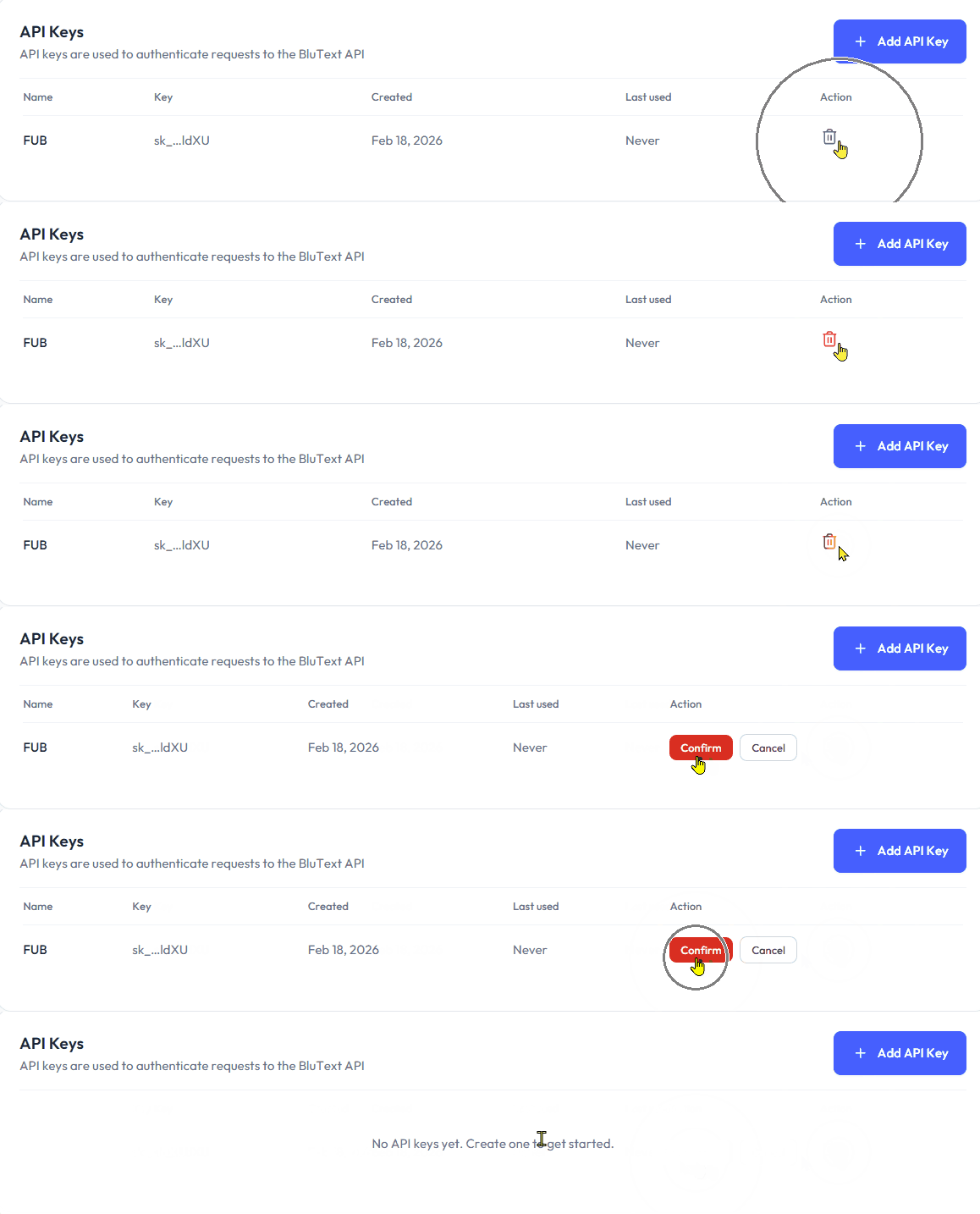
🗑️ Click the "trashcan" icon on the far right of the API Key row, then click the 🔴 "Confirm" button to permanently delete the API from your dashboard.
*Note: Deleted API Keys cannot be recovered by Support.
Need help? Contact us at support@blutext.com or chat with us at the bottom right of our blutext.com website or knowledge base.