
✅Dashboard & 📱Messages Navigation
📱 Blutext Dashboard Overview
This article provides an overview of the Blutext Dashboard app, which defaults to the Message Queue upon access. You can quickly review:
✅ Ready & Upcoming
📅 Scheduled
🕘 Message History
⚠️ Note: Blutext sends text messages between 9 AM – 7 PM in the recipient’s time zone based on their area code.
Collapse/Expand
☰ Click the "hamburger" button (three-line icon) at the top left of the page to expand or collapse the Blutext menu.

Light/Dark Mode
🌙 Click the "Moon" icon at the top right of the page to turn Dark Mode on.
☀️ If Dark Mode is on, click the "Sun" icon to switch back to Light Mode.

Lifetime and Messages
🆓 During the 100 Free Text Trial
The top section will display "Lifetime Messages".
Once you upgrade to a paid account, it will change to "Messages".
💬 Lifetime Messages show how many of the 100 trial messages you have used, with a 10-message leeway for a total of 110 messages.

⚠️ Note: Messages will show you how many texts you have sent for the current month once you are on the Pro Plan.
✅ Ready and Upcoming Messages
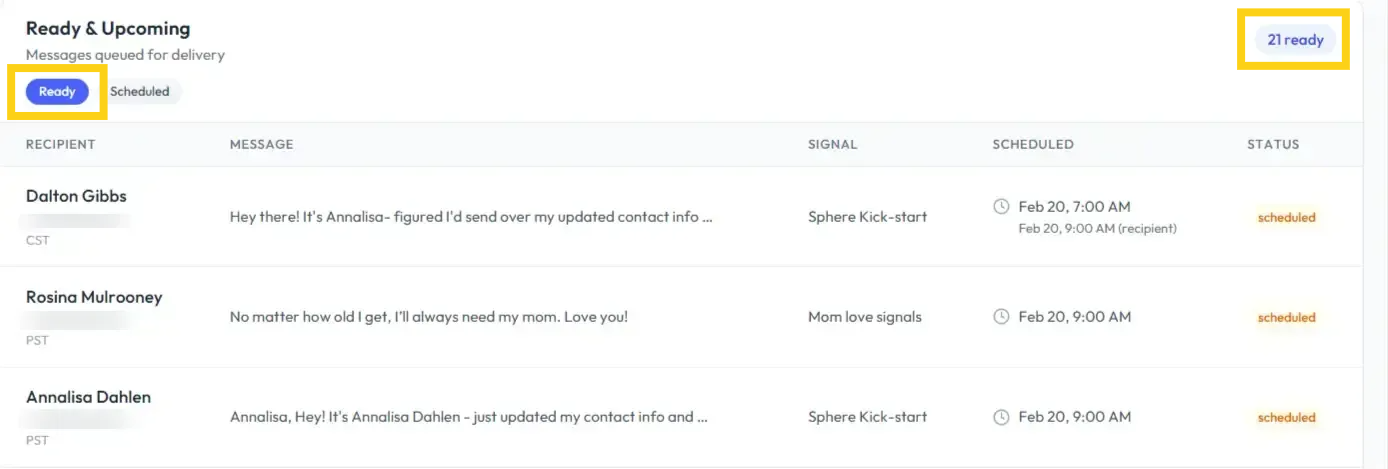
Ready and Upcoming has two tabs:
Ready – texts that are ready to trigger
Upcoming – texts that are scheduled
📊 Depending on the selected tab, you can view the number of ready or scheduled texts at the top right.
Each text displays:
👤 Recipient
💬 Message
📶 Signal
🕒 Scheduled time
✅ Status
Example of Ready:
📜 History
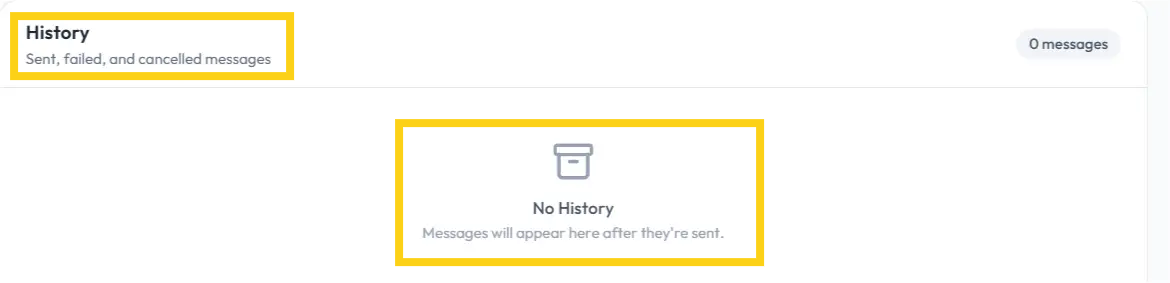
The History section remains unchanged regardless of whether the Ready or Scheduled tab is displayed above it.
It shows messages that have been:
✅ Sent
❌ Failed
🛑 Canceled
🕒 Time Zones & Messages
The user account below is based in PST (Pacific) 🌅 and shows that the contact, Dalton, is in CST (Central) 🌄.
The message was sent at 7:00 AM PST, which is 9:00 AM CST, the recipient’s time zone.

Need help? Contact us at support@blutext.com or chat with us at the bottom right of our blutext.com website or knowledge base.